
Order picking that walks less and finishes sooner
Stowly is a warehouse management system that shows your own warehouse as a floor plan, in 2D and in 3D. It plans the pick route per order, proposes which items belong closer to the exit and lets staff book with a phone or a scanner, even without wifi. Your team walks less and you always know where everything is. With Vloer live you see on screen who is picking where and how real rounds turn out against the calculated ones.
Slow order picking is usually about walking. In the demo environment (8 pallets, electric pallet truck) the calculated round covers 109 metres instead of 370 metres and the order is finished 37% sooner. That is an example on demo data and not a promise for your warehouse, but it shows where the gain is: sequence, bundling and having items closer to the exit.
What Stowly looks like
Screens from the demo environment with sample data. None of it is customer data.
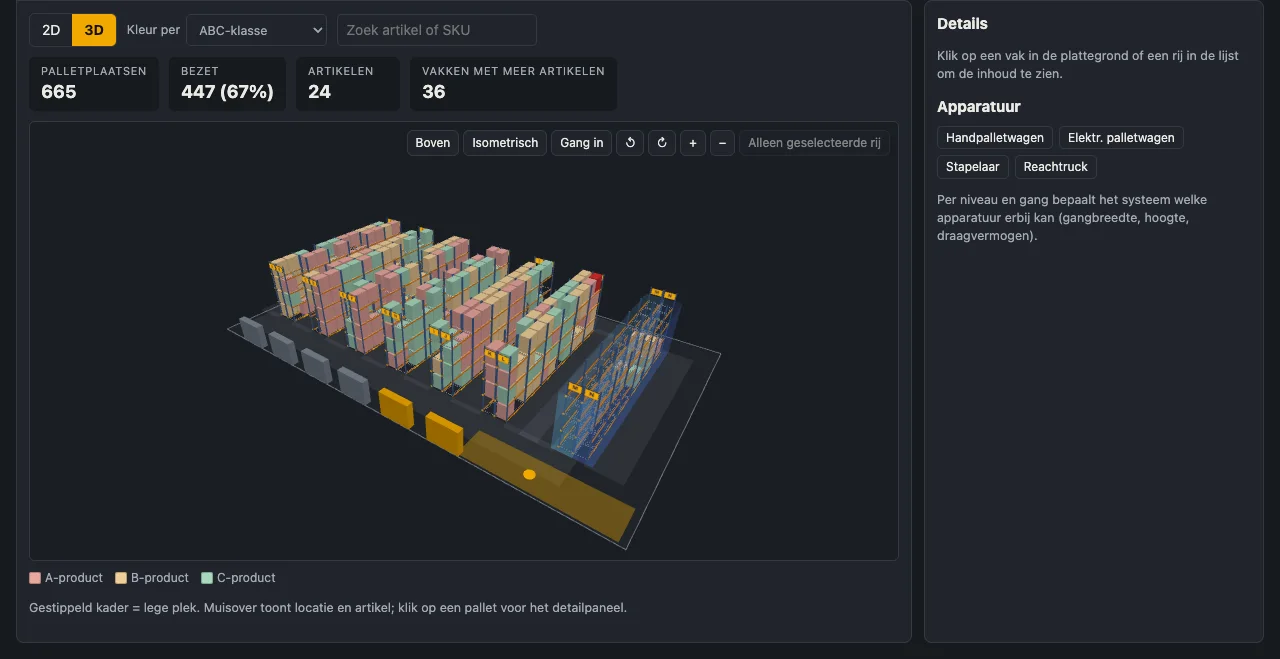
Your warehouse in 3D, coloured by what you want to see
Racks, aisles, docks and chilled and frozen rooms are in the right place. Colour by ABC class, item, best-before risk, pick frequency or temperature zone and search an item to see its location straight away. Walk through the aisles with the arrow keys or WASD.
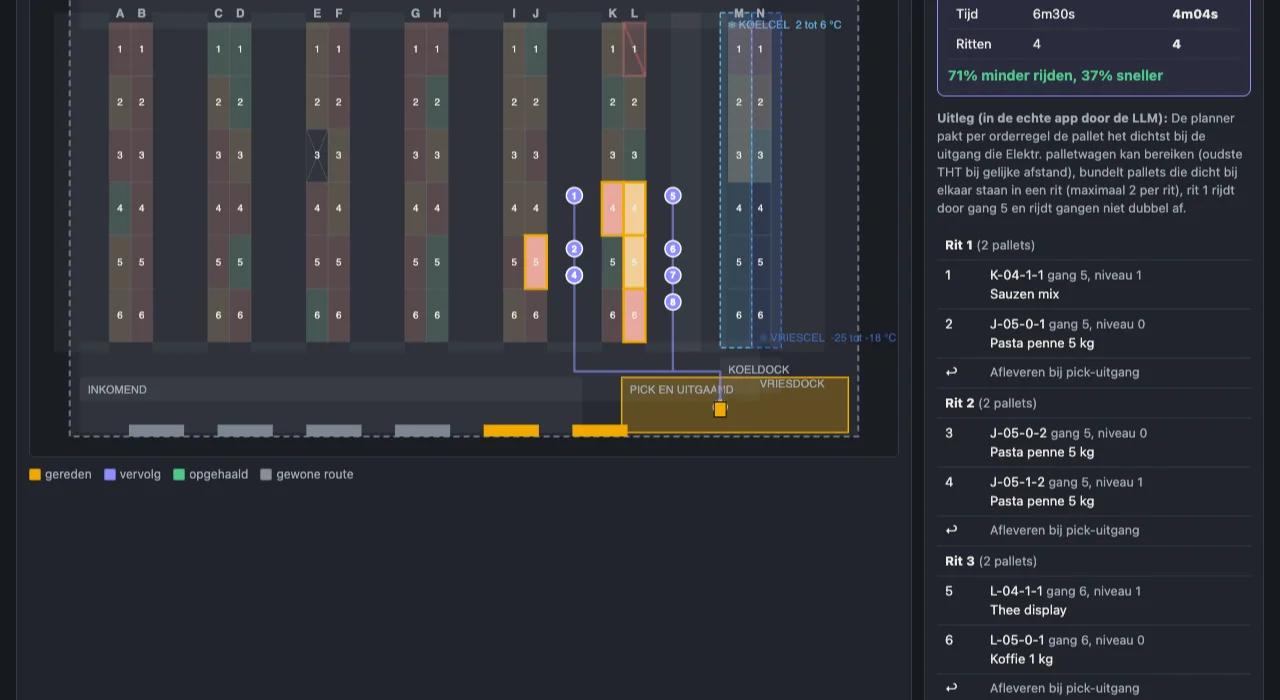
The route per order, calculated in advance
Enter an order or fetch it from Kade. Stowly puts the stops in the best sequence, bundles pallets that stand close together into one trip and takes into account what the machine can carry. You see the route, the number of trips and the saving next to the normal route.
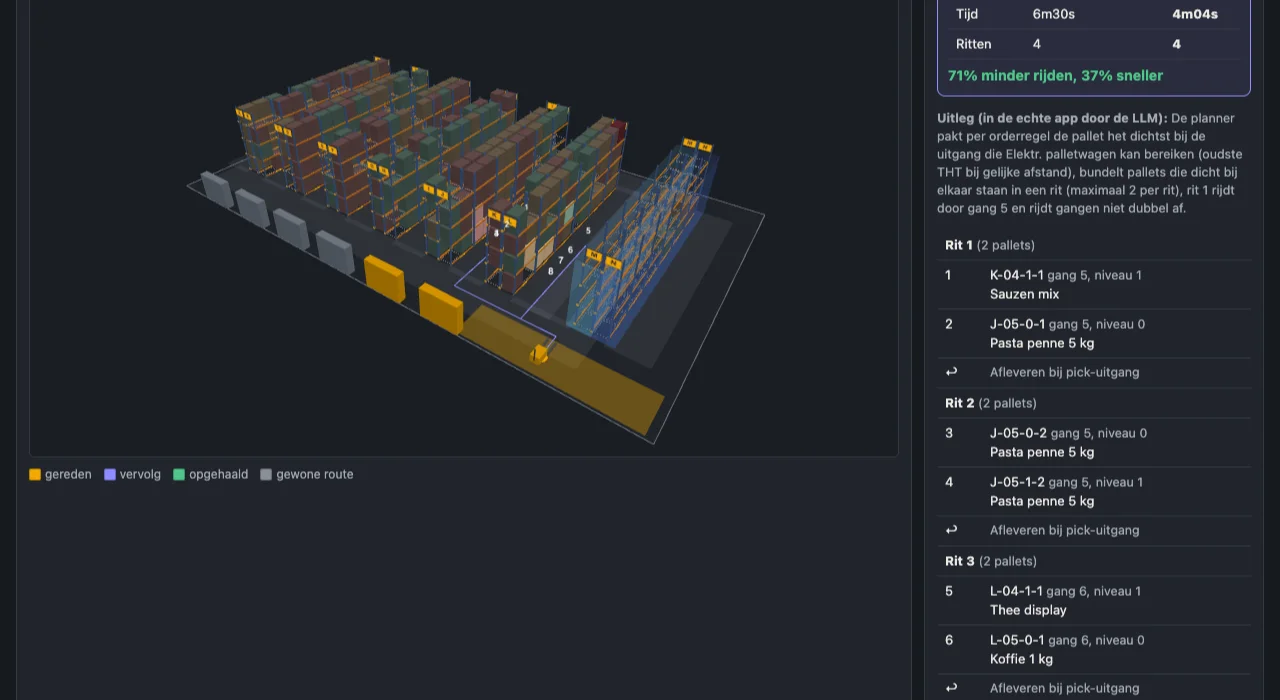
Play the round before anyone drives it
The route can be played back in 2D and in 3D, with the pallet truck driving the stops. You spot a bottleneck or a doubly driven aisle before it happens in practice.
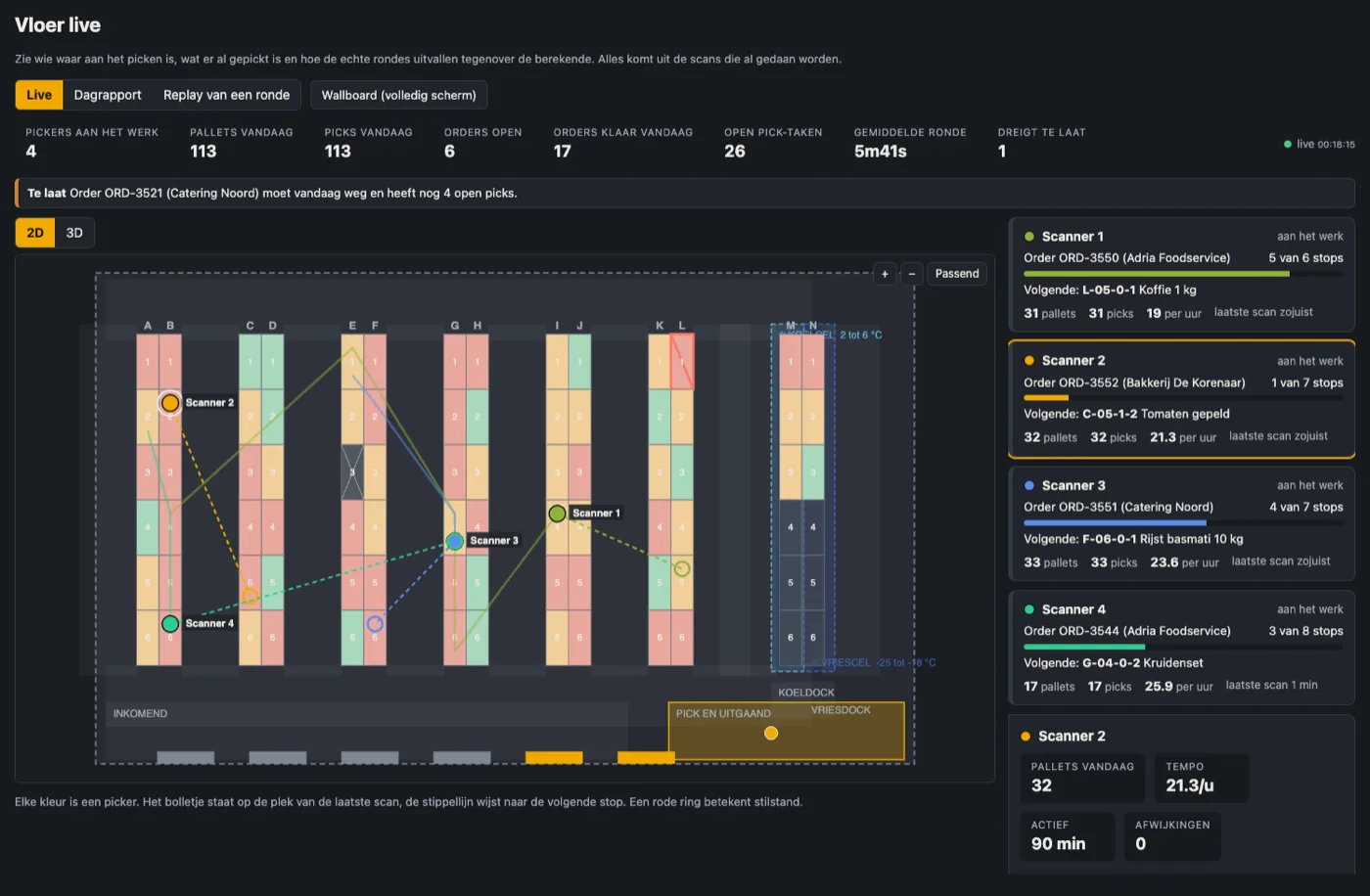
See who is picking where, as it happens
Every picker is a coloured dot at the spot of the last scan, with a dashed line to the next stop. Per picker you see the order, how many stops are done, pallets and pace, and the latest picks. At the top you find open orders, pallets today and orders at risk of being late. The screen refreshes by itself as soon as someone scans, in 2D and in 3D.
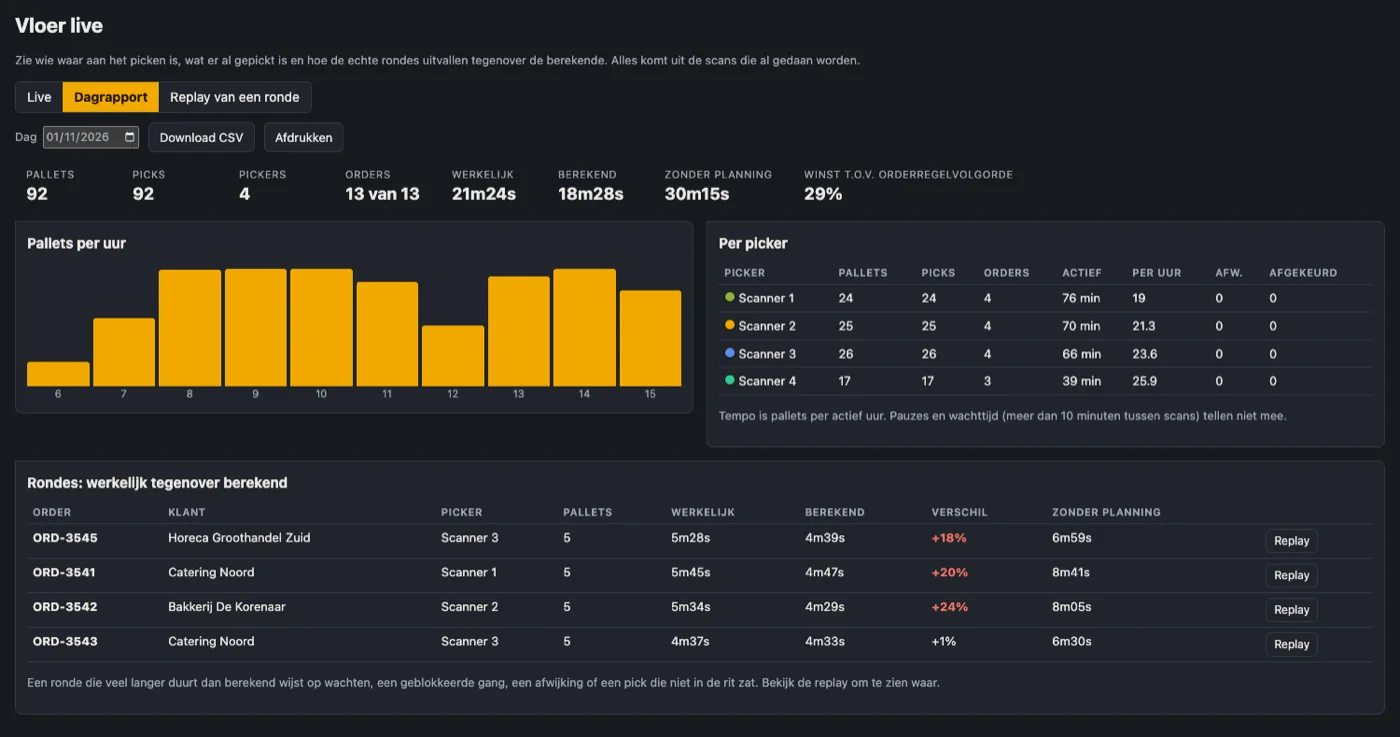
What was picked today, per picker and per hour
Pallets per hour, per picker and per order, with the actual time of each round next to the calculated time and the time without planning. A round that takes much longer than calculated stands out immediately. The report can be downloaded as csv and printed.
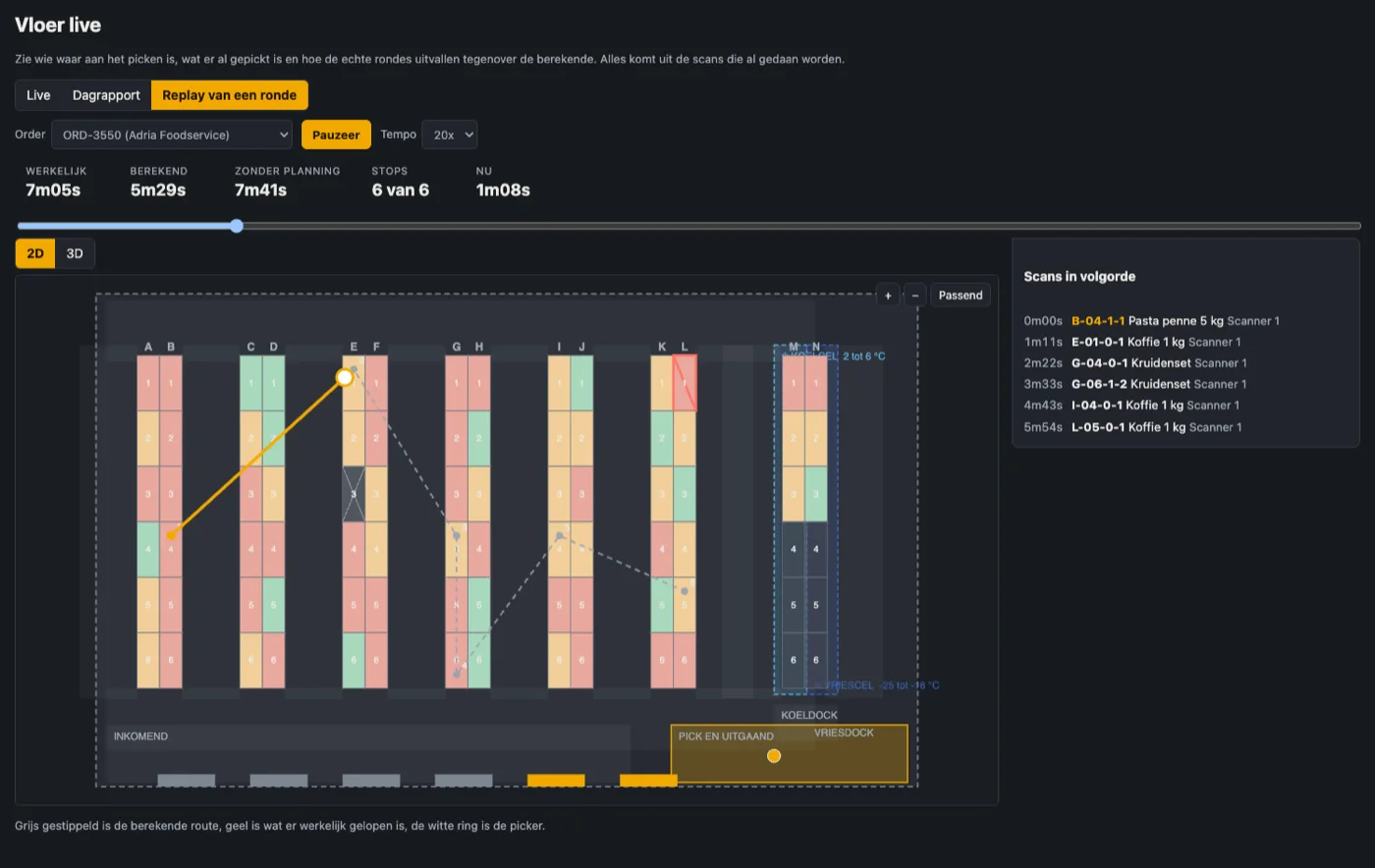
Play back a round that was walked
Pick an order and play what was really walked: the calculated route in grey, the walked route in yellow, scan by scan with the time. You see where a round lost time, a wait, a detour or a pick that was not in the trip.
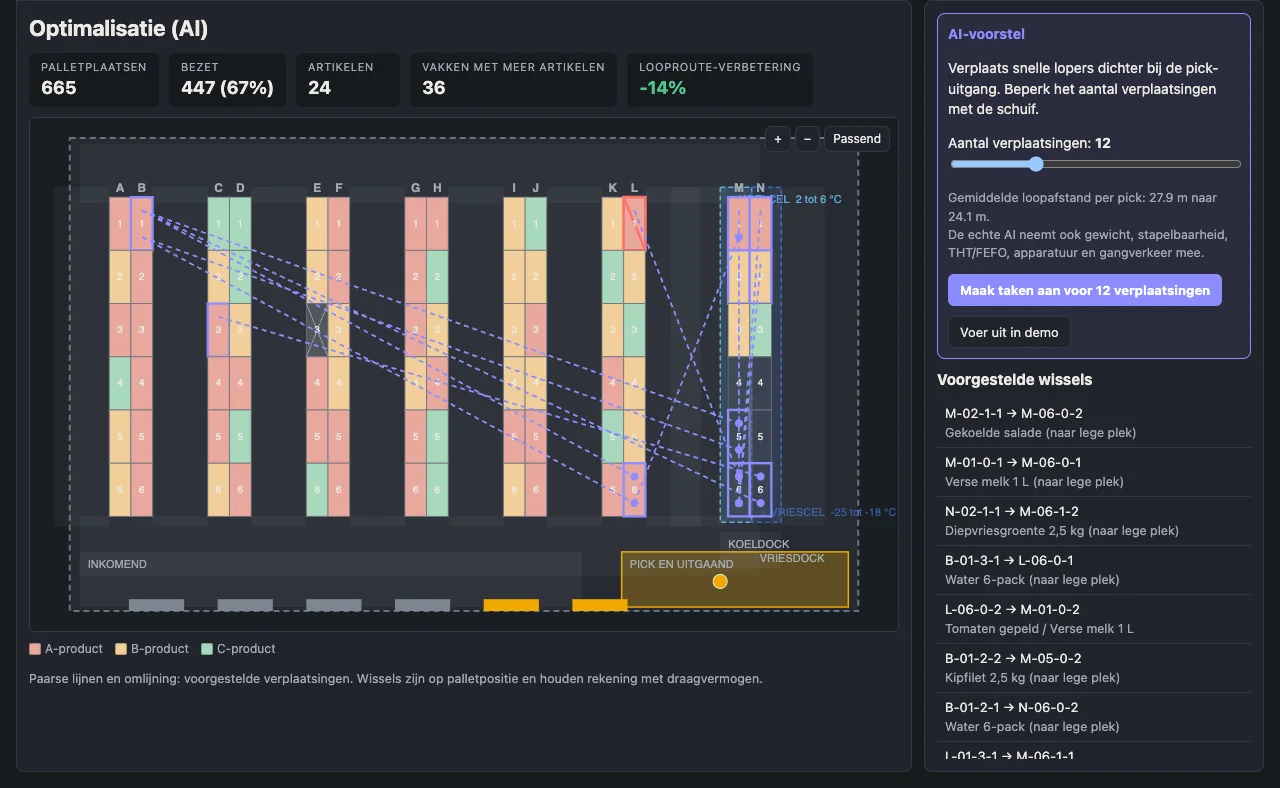
Fast movers closer to the exit
Based on pick history Stowly proposes moves, with the expected gain in walking distance. You decide how many swaps you want and create them as tasks for your team. Swaps take load capacity into account.
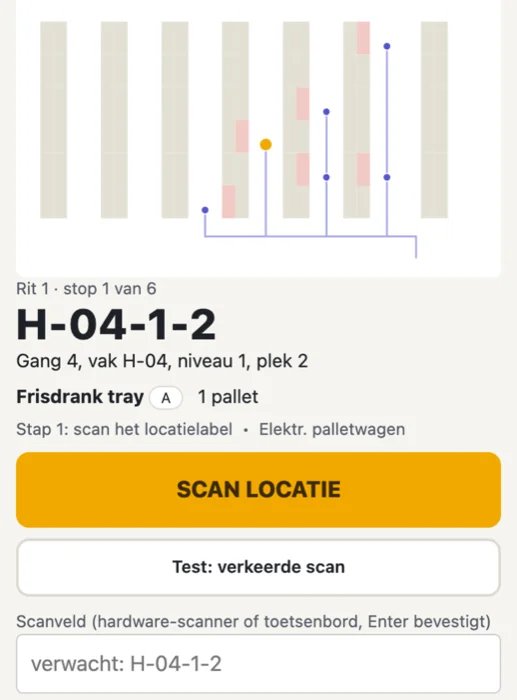
Book with a phone or scanner, even without wifi
The scanner app shows per step which location to scan and what to pick, with a small map of the route. Scans are queued when wifi drops and sent afterwards. It works with hardware scanners that act as a keyboard and with the camera.
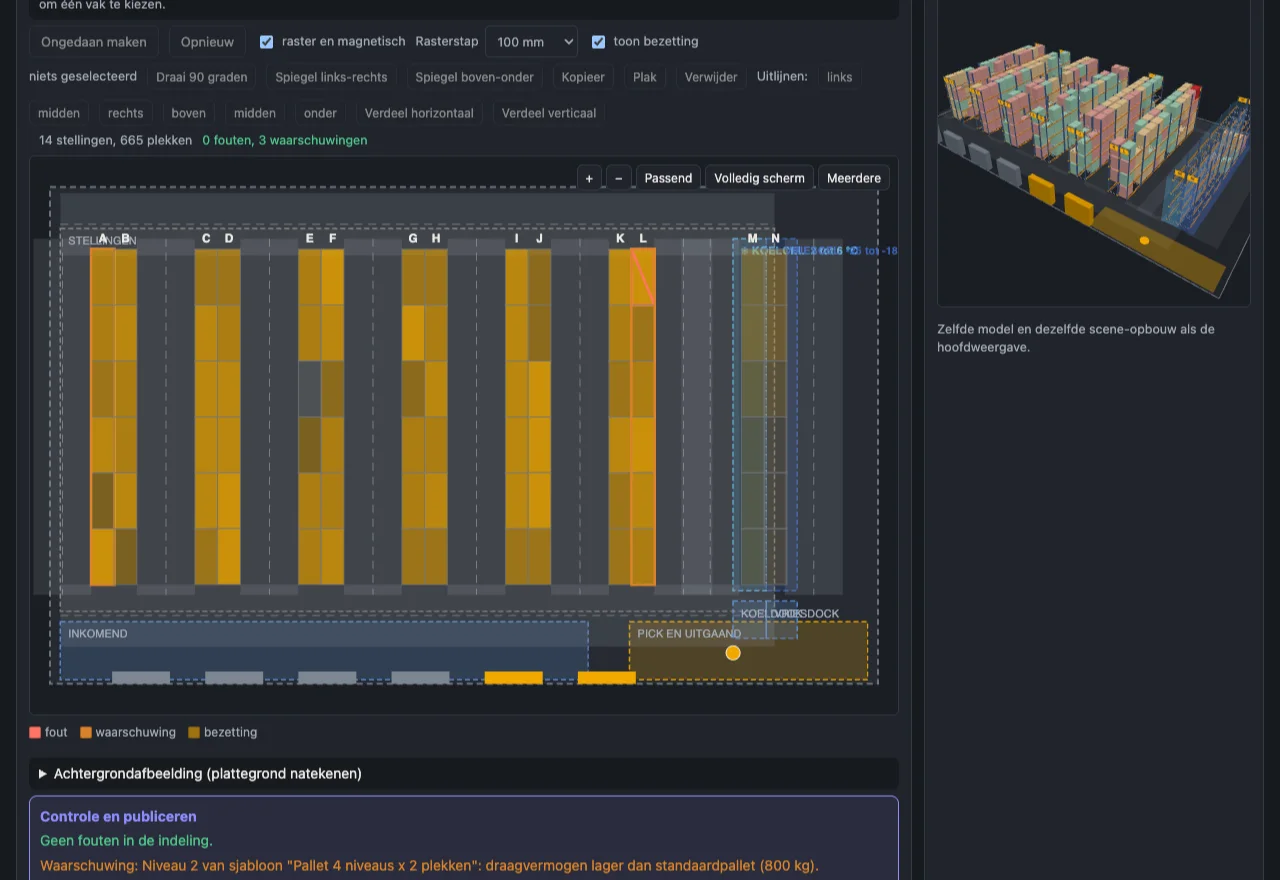
Draw your warehouse yourself, down to the bay
Place racks, aisles, zones and docks on the canvas, pick a rack and adjust a single bay: block it or set the number of slots per level. The wizard sets up a new warehouse in eight steps.
What Stowly does
Pick route and bundling
Order of stops, bundling per trip and a comparison with the normal route, per order.
Slotting proposals
Fast movers closer to the exit, with expected saving in walking distance and tasks for your team.
Live floor
Who is picking where, progress per round, pace and latest picks, updated live in 2D and 3D.
Daily report and replay
Actual time against the calculated round, per order and per picker, with csv export and replay.
Alerts and wallboard
An alert for standstill, rejected scans or an order at risk of being late, and a wallboard screen for the office.
Receiving and put-away
Receive, propose a slot and put away with a scan, per pallet with lot and best-before date.
Counts
Count sessions with variances, on the scanner or in the browser.
Cold chain
Chilled and frozen rooms with temperature range, maximum time out per zone and an alert before it runs out.
Multiple customers and roles
One environment per customer with its own users, suitable for logistics providers and in-house warehouses.
Link with Kade
Orders from Kade arrive in Stowly and stock flows the other way, over a signed link.
Devices without MDM
You enrol a scanner or phone with a QR or code. No device management needed.
Securely separated
Customer data is separated at database level and the admin side runs apart from the customer environment.
Under the hood
- Floor plan2D and 3D in the browser, per level and colour mode
- ScannerPWA on phone or scanner, offline-first with queue; native app in preparation
- Storageracks, floor, chilled and frozen, with equipment per level and aisle
- IntegrationsKade (orders and stock); CSV import
- Operationsbuilt and operated by Nimbus Cloudworks
Who it is for
Wholesale and foodservice
Many orders with mixed pallets, chilled and fresh, where the pick round decides lead time.
Logistics providers
Several customers in one warehouse, each with their own stock, users and reporting.
A manufacturer's own warehouse
From Excel and remembering where it is to a floor plan and a scanner.
See Stowly on your own warehouse
Send us a floor plan or a few sample orders. We show what the pick round looks like and what there is to gain.
Frequently asked questions
How much faster does order picking get?
That depends on your warehouse and your orders. In our demo the calculated round is more than 70% shorter in distance. For a real estimate we calculate with your floor plan and sample orders.
Do we need special scanners?
No. A phone works, and so do scanners that act as a keyboard. You enrol a device with a QR or code.
Does it work without wifi in the warehouse?
Yes. Scans are queued on the device and sent as soon as there is a connection again.
Can Stowly handle chilled and frozen products?
Yes. You define chilled and frozen rooms with temperature range and maximum time out, and Stowly alerts you when a pallet has been out of the cell too long.
How does Stowly know where a picker is?
From the scans that are made anyway. The spot of the last pick is the position, the next open stop of the round is the destination. No extra hardware or indoor gps is needed.
Is this monitoring of employees?
Live floor shows the progress of the work. By default you see device names or neutral codes and no names, and there is no ranking. Showing names or discussing pace per person is possible, but requires discussion with the employees and, if there is one, the consent of the works council.
Does Stowly work with Kade?
Yes. Orders from Kade arrive in Stowly and stock goes back. Stowly also works on its own.
Who operates Stowly?
Stowly is built and operated by Nimbus Cloudworks.