
From design to workshop, without retyping
Atelier is an app for interior builders and interior designers. Design cabinets, walls and counters in 3D and get a cutting plan, workshop drawings, costing and a quote from the same design, with a link to Kade for working with the builder.
What the designer draws, the workshop can cut. In custom joinery a lot of time and money is lost between drawing and workshop: dimensions that do not fit the sheet, a quote that does not match what is built, extra work nobody tracks. Atelier calculates everything from the same design, so drawing, cutting plan, price and quote always agree.
What Atelier looks like
Screens from the app with the example project Office fit-out Domplein. The data is fictitious.
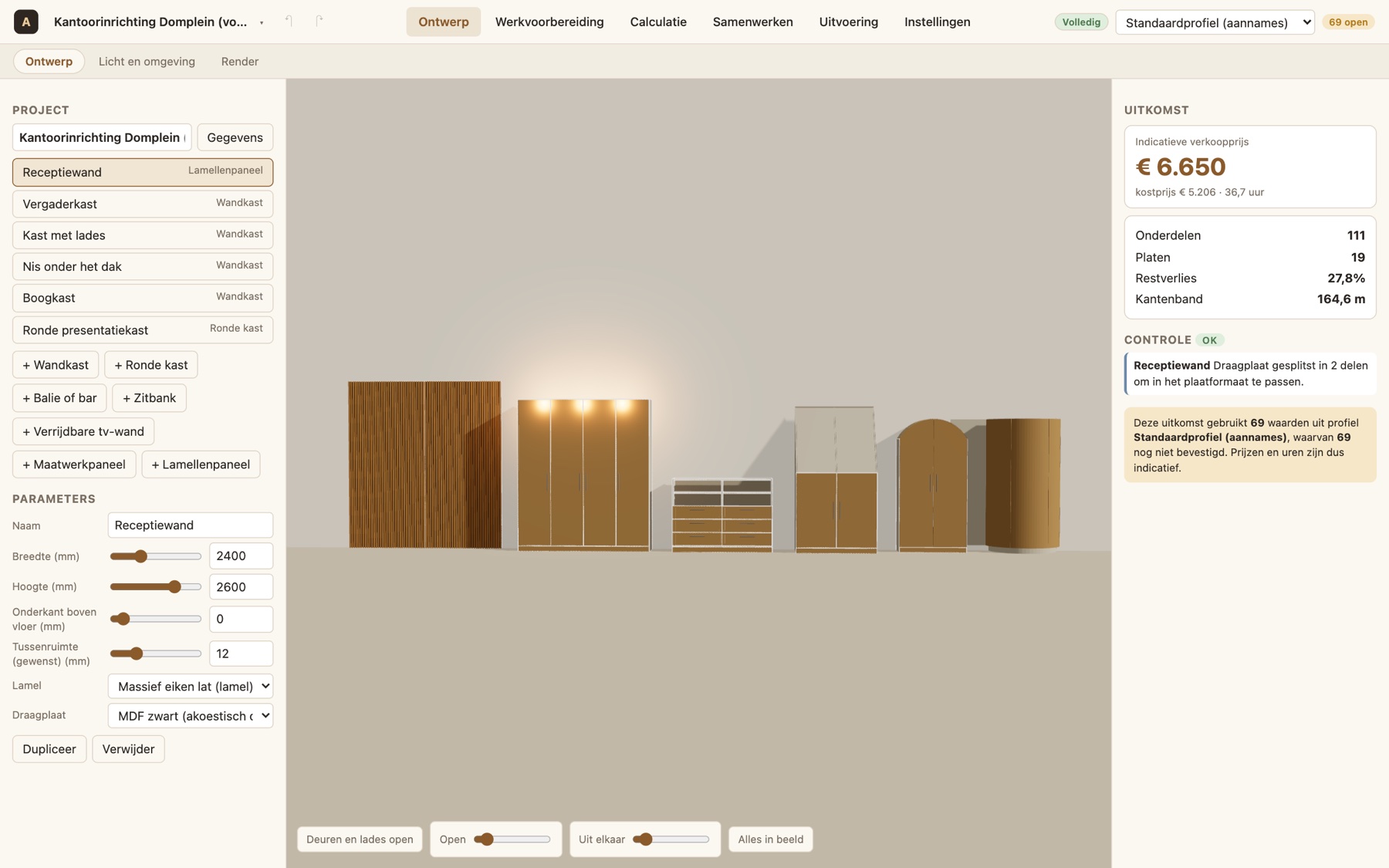
Draw in 3D and see the cost straight away
Set up wall units, counters, benches, slat walls and round cabinets with a few dimensions. On the right you see the selling price, the number of parts and sheets, the waste and the checks, for example whether a part fits the sheet.
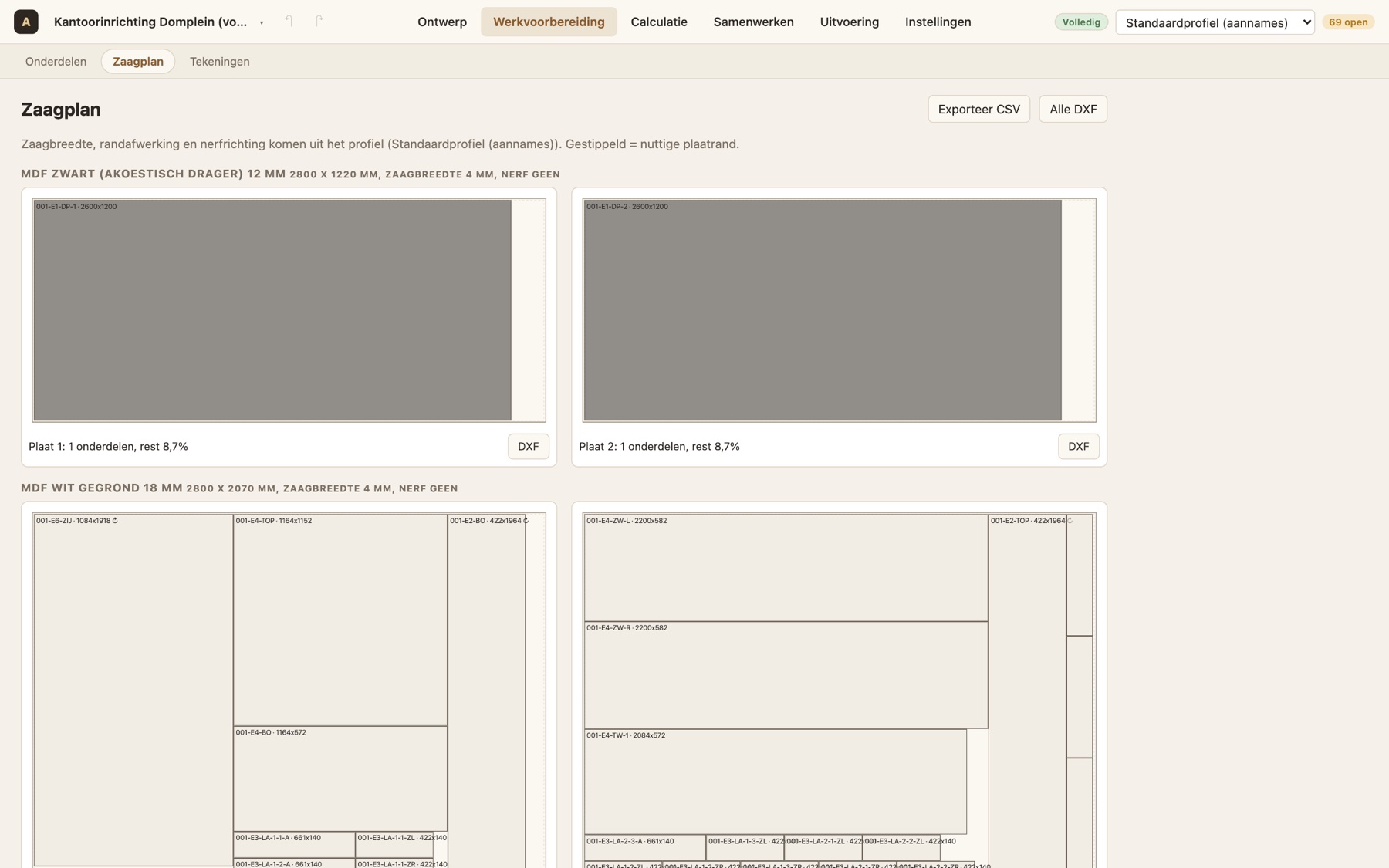
From design to sheets, without the guesswork
Atelier distributes all parts across the sheets, with kerf, edges and grain direction from your profile. Export it as DXF per sheet for the machine or as CSV. Together with workshop drawings and a parts list per element.
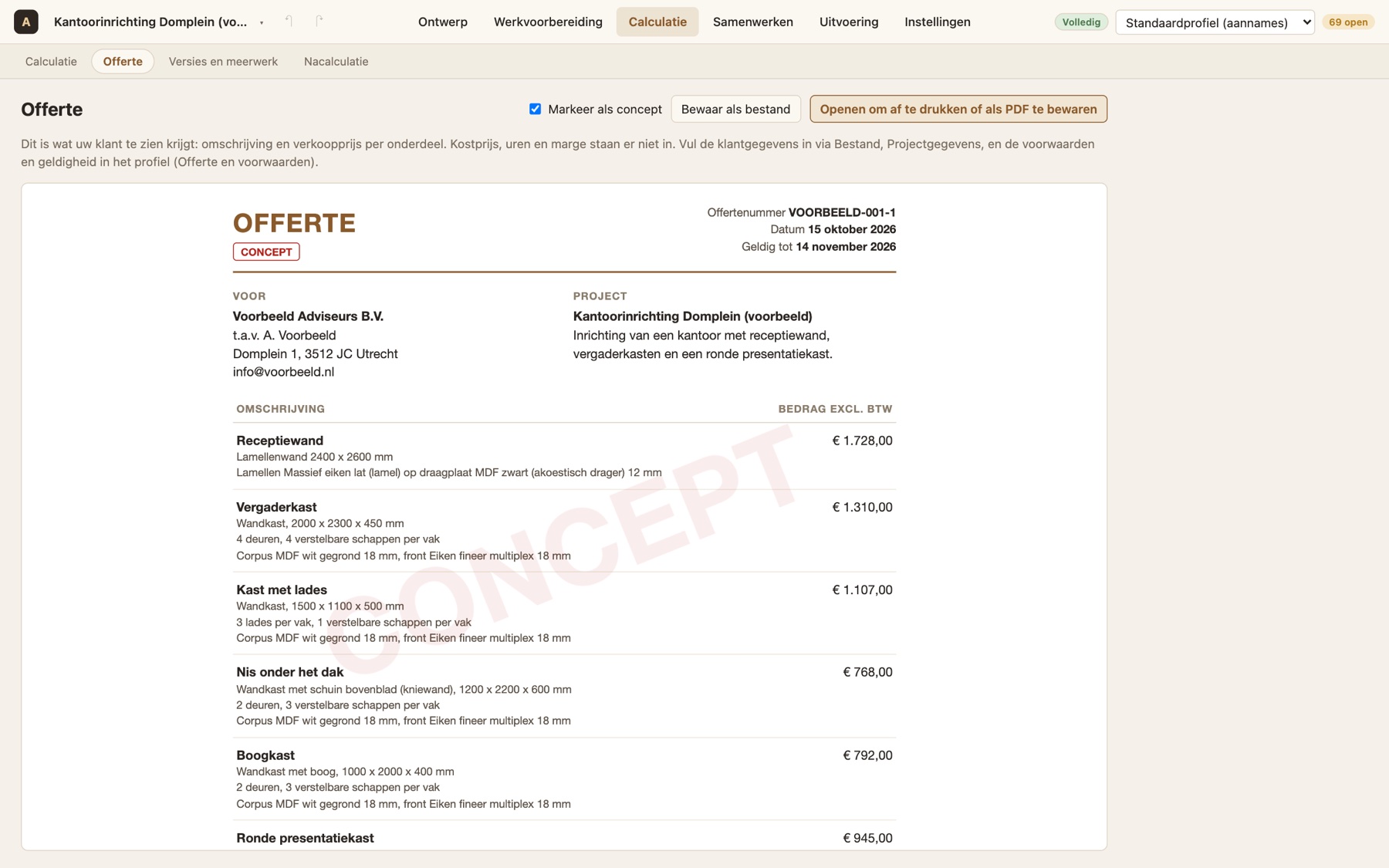
A neat proposal for the customer, without your margin
The quote shows description and selling price per item, with VAT, delivery time and terms. Cost price, hours and margin are not on it. Save it as a PDF or update it later with extra work per revision.
What Atelier does
Parametric building blocks
Wall unit with door styles, glass, handles and sliding doors, counter or bar, bench, custom panel, slat panel, round cabinet and mobile TV wall. All adjustable.
Cutting plan and DXF
Parts list with edge banding and drilling, cutting plan per sheet type and DXF per sheet for the machine.
Workshop drawings
A drawing per element with views, dimensions, title block and parts list, as SVG.
Costing on your own figures
Material, hardware, hours per operation and surcharges. All assumptions live in a profile with source and status, so you adjust them without rebuilding anything.
Versions and extra work
Release a state as a revision. The difference between two revisions is the extra work: what was added, removed or changed, and what that costs.
Post-calculation
Enter the actual hours afterwards. Atelier proposes adjustments to the figures in the profile so your next quote is more accurate.
Light and photorealistic render
Day, evening and night, LED strips and open or closed doors, and a render up to 4K on your own computer.
Working with Kade
The designer submits the design as a request. The builder assesses feasibility and sends a quote, and the designer never sees purchasing or margin.
Mac and Windows
A regular app to install, with updates through Nimbus Beacon. A project is a file you can save, email and reopen.
Under the hood
- PlatformmacOS and Windows, installable app
- OutputCSV, DXF per sheet, SVG drawings, quote as PDF, render
- Display3D with light, LED strips and render up to 4K through Blender, locally
- Profileprices, hours, sheet sizes and rules as data, with source and status
- EditionsLimited, Demo (5 elements, mark on output) and Full
- LinkKade (Atelier Zakelijk) for request, quote and order
Who it is for
Interior builders
From drawing to cutting plan and quote in one step, with extra work you actually track.
Interior designers
Design what the workshop can really make and submit it to the builder.
Project fit-out
Office, care, hospitality and retail: many cabinets, a schedule and a customer who wants to know the cost.
See Atelier with your kind of projects
We look at one of your projects together and show what comes out of the design: cutting plan, drawings, costing and quote.
Frequently asked questions
What does Atelier cost?
Atelier is supplied per licence. There is a Demo edition to try and a Full edition without limits. We prepare a quote for the price.
Does it fit our machines and sheets?
Sheet sizes, kerf, grain direction and rules are data in a profile you can adjust. We tune it to your workshop together with you.
How reliable is the price?
The price comes from the figures in the profile. Values not yet confirmed are clearly marked as assumptions, and post-calculation corrects them after a project.
Does the client see my margin?
No. The quote only shows description and selling price, and through Kade the designer sees no purchasing or margin.
Is this a working name?
Yes. Atelier is the current name of the product and may still change. The features above already work.